Zephyr Texture Packer
A downloadable tool for Windows and Linux
Zephyr
Texture packer and sprite editor with animation support for 2D games.
Zephyr handles the full sprite workflow in a single tool: organize sprites into a tree, pack them into an atlas, create per-sprite pivot points and hitboxes, define animations, and export a packed texture alongside JSON metadata that drops straight into your game engine.
Atlas Packing
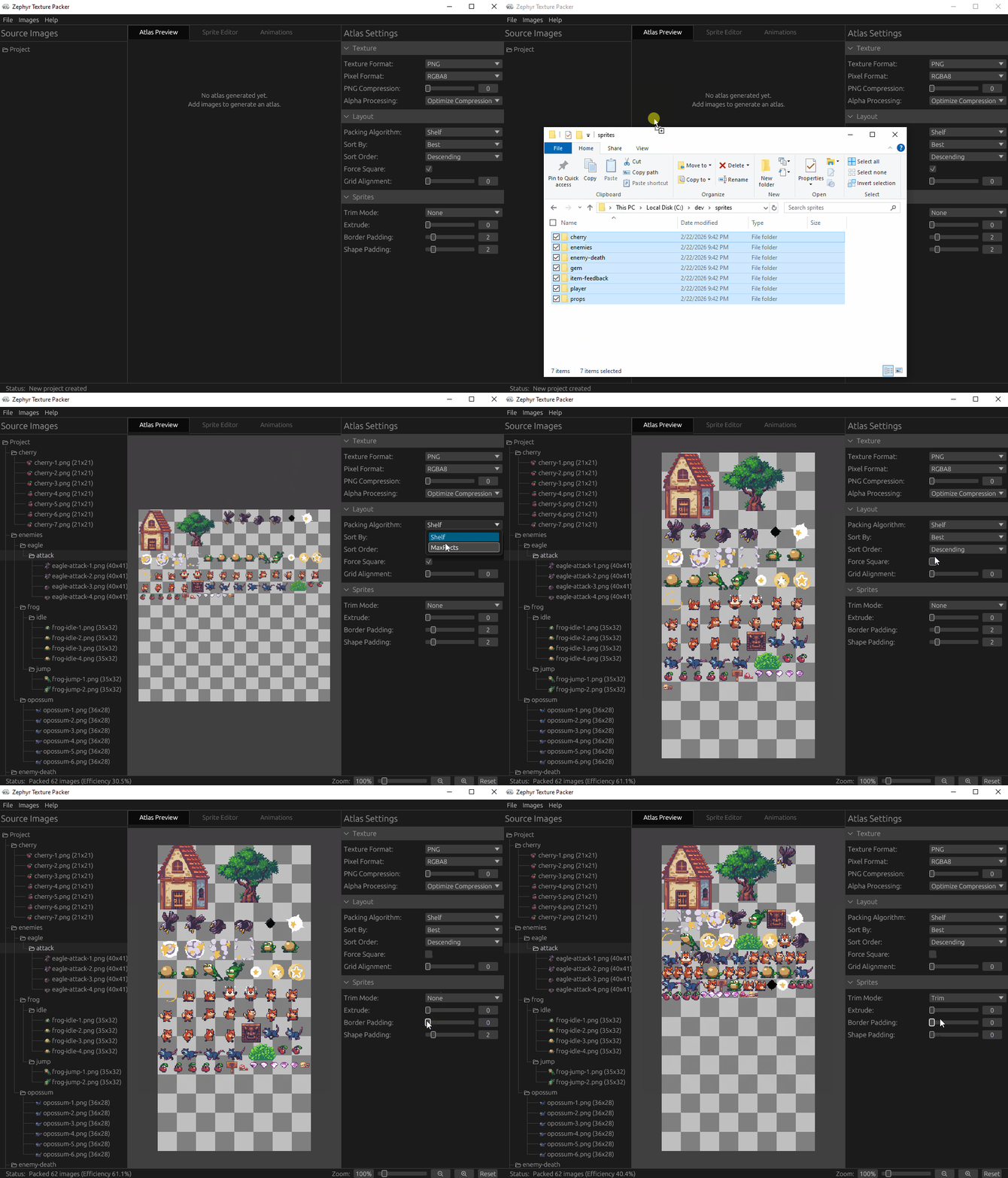
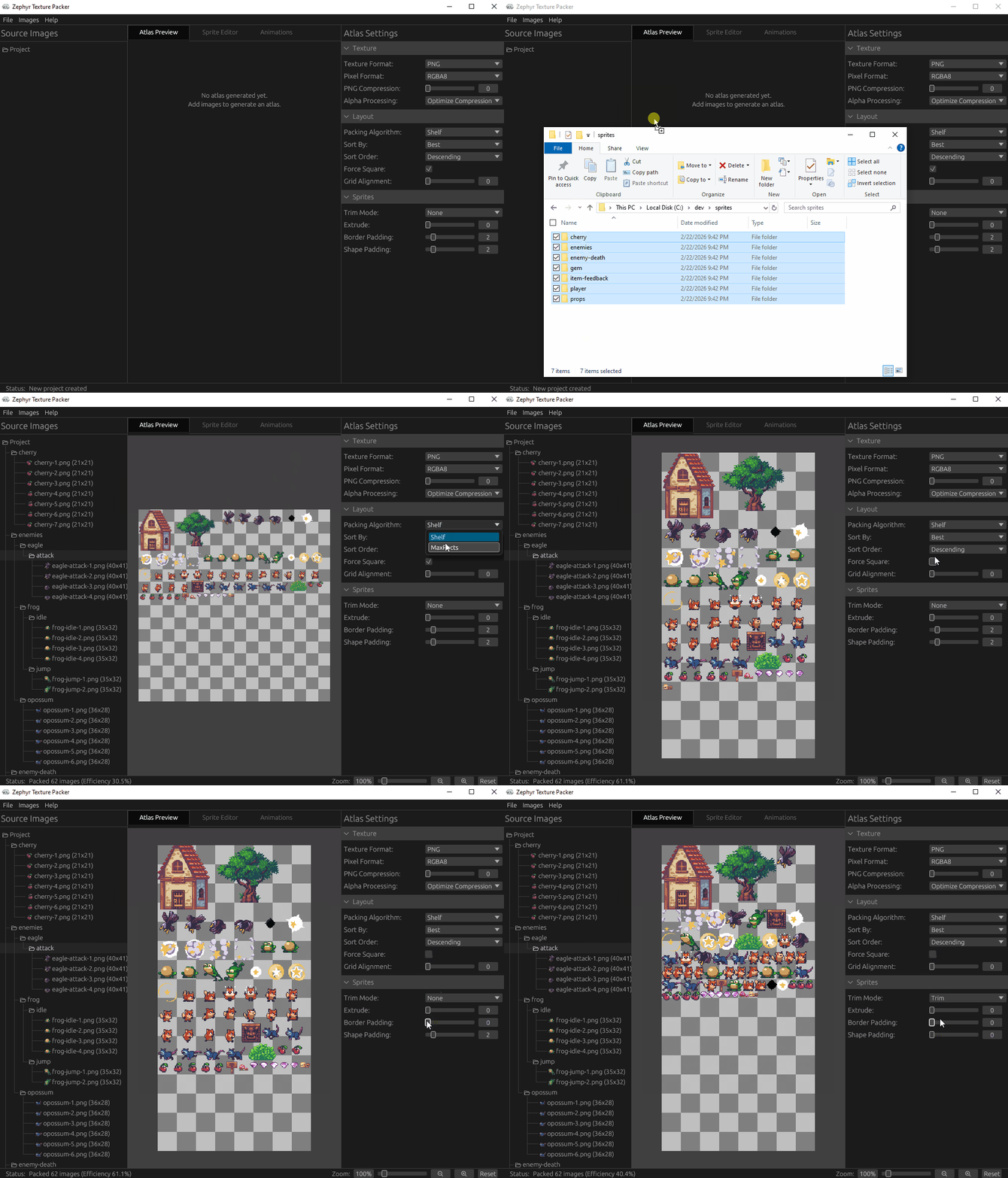
Drop in your sprites and Zephyr packs them into a single texture atlas automatically. You can choose between Shelf and MaxRects packing algorithms, force the output to be a square texture, configure padding and trimming. The packed atlas updates in real time as you make changes.
Sprite Editor
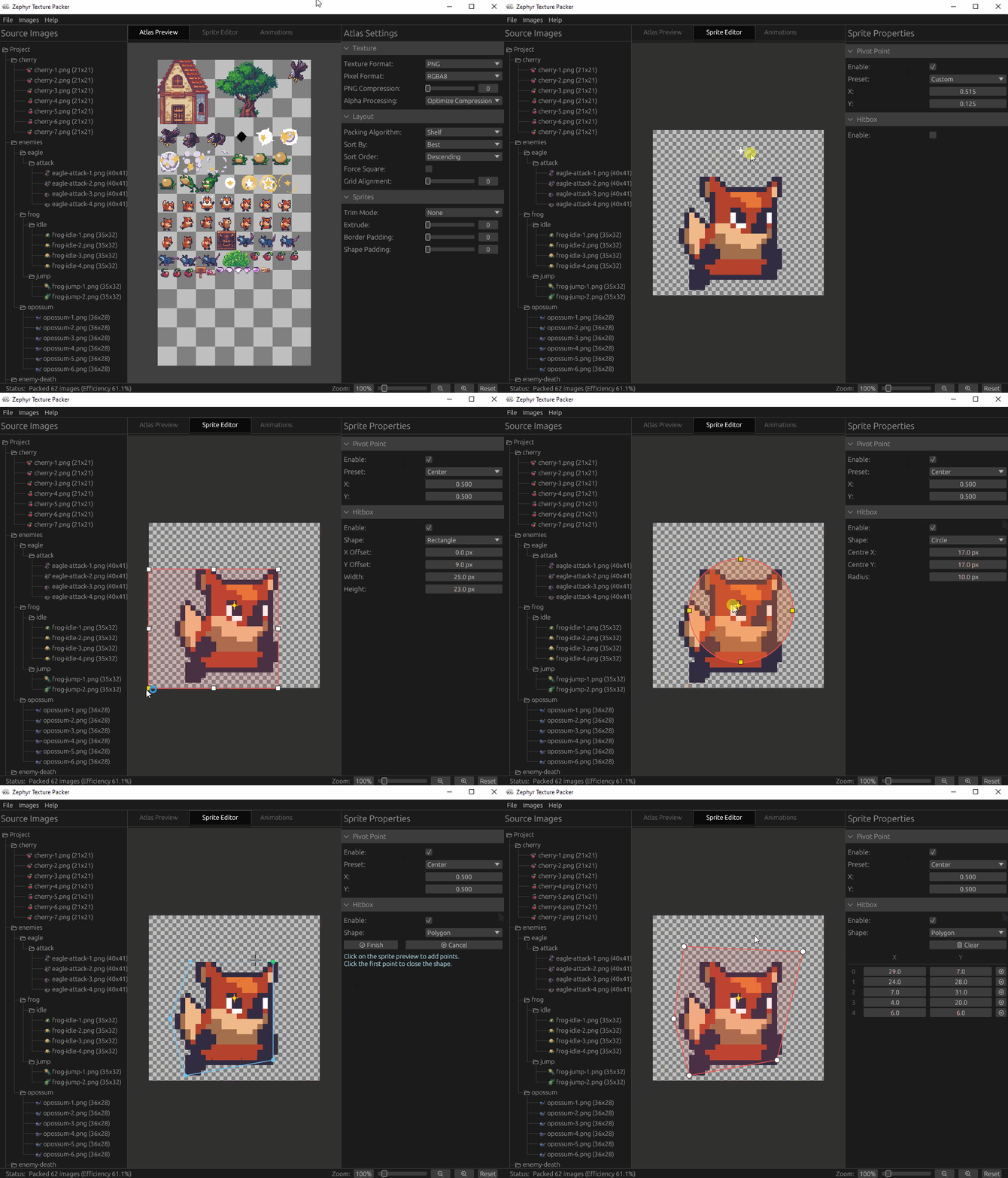
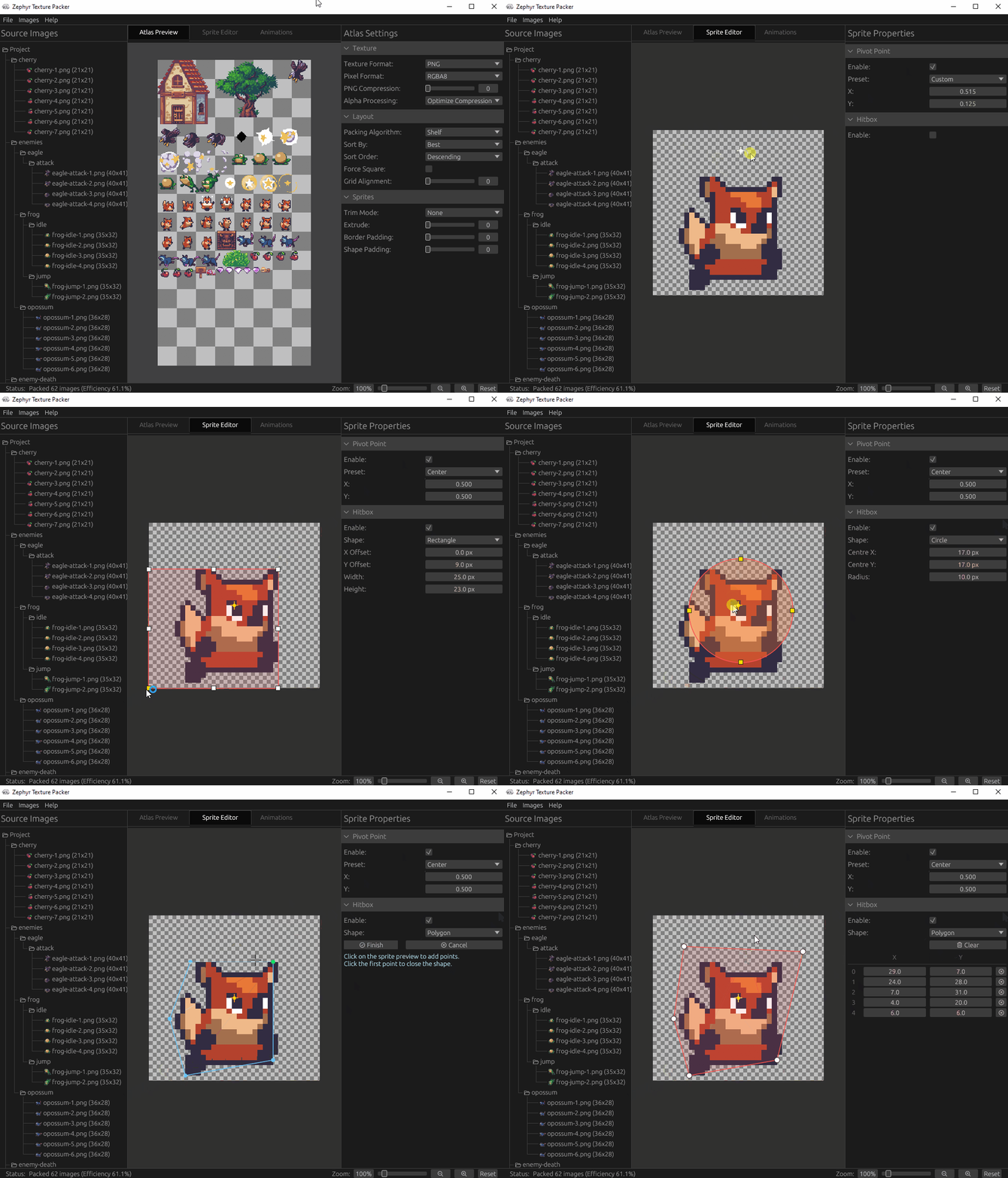
Select any sprite in the atlas and set its pivot point by dragging the crosshair directly on the preview, or pick from a preset. You can also attach hitboxes to each sprite (Rectangle, Circle, or Polygon) and adjust their shape and position with interactive handles. Polygon hitboxes support inserting and removing vertices by double-clicking edges or right-clicking points.
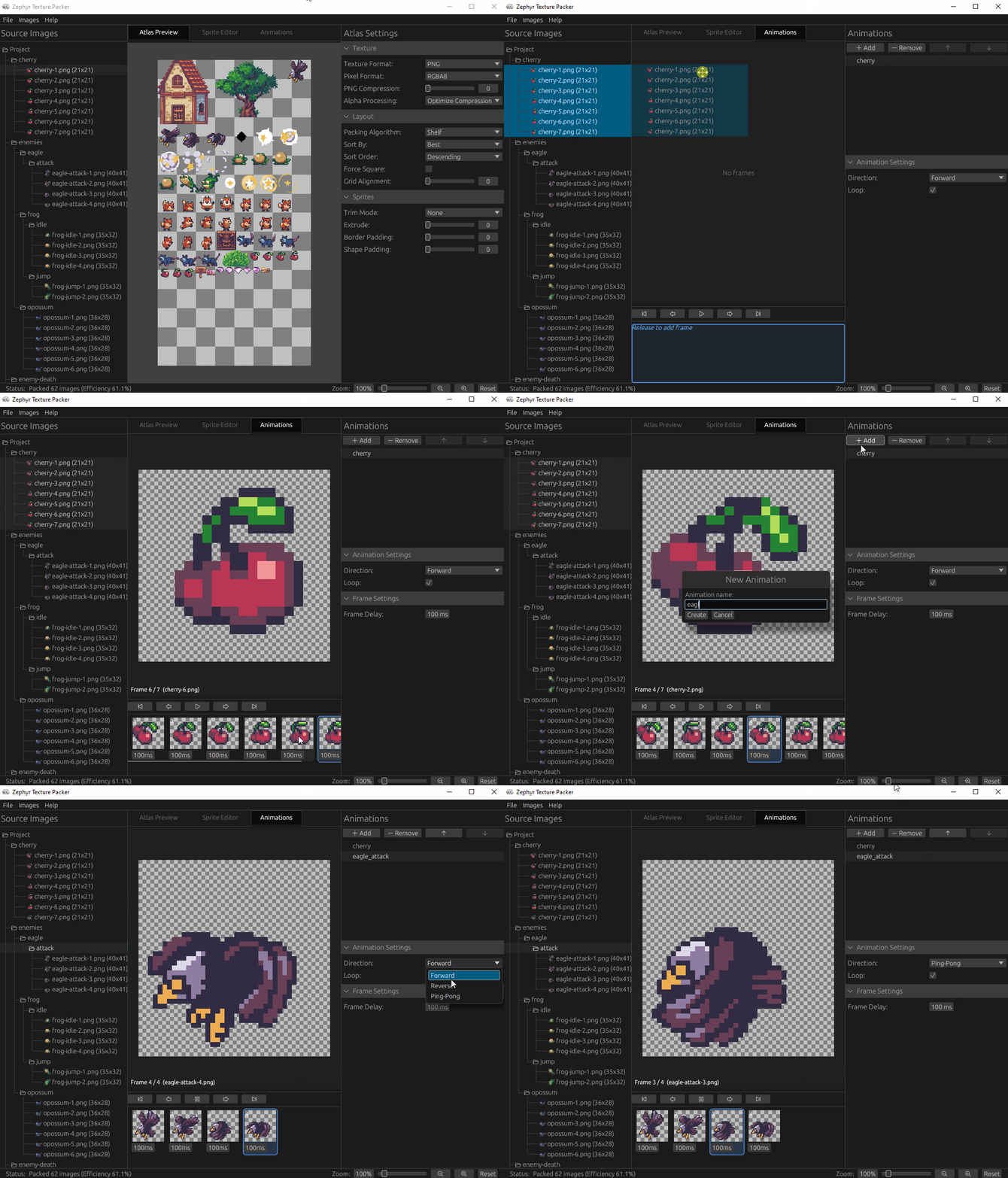
Animation Editor
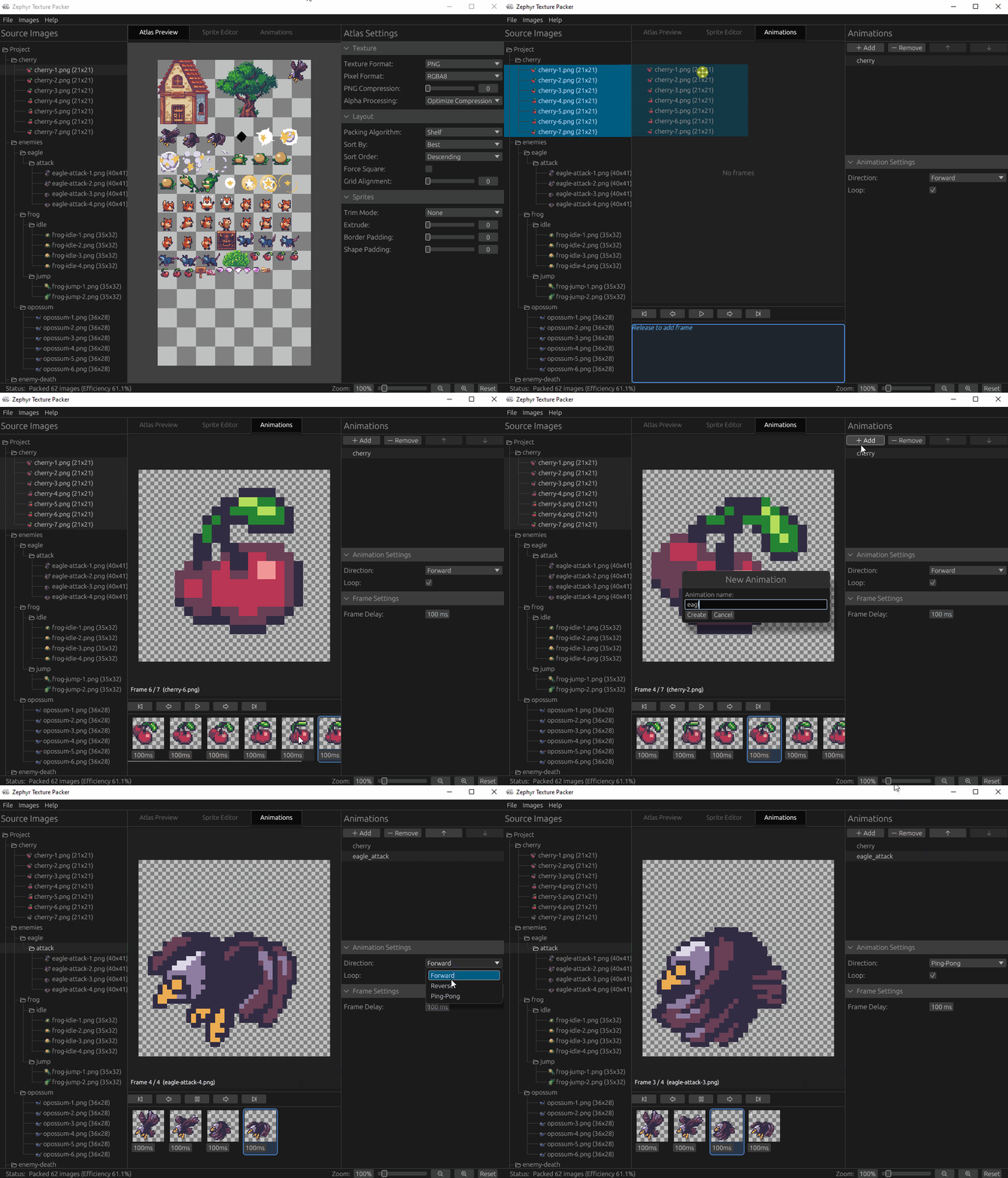
Build animations by dragging sprites from the tree into a frame timeline. Each frame has its own delay, and you can choose to loop the animation and the direction it plays in (Forward, Reverse, or PingPong). The preview plays the animation back live as you edit it.
Getting Started
- Add Sprites
- Use Images > Add Images... or Images > Add Directory... to load sprites, or drag and drop images directly onto the window.
- Use the tree panel on the left to create directories and organize your sprites.
- Configure the Atlas
- Select the Preview tab to see the packed atlas and use the settings panel on the right to adjust the packing algorithm, texture format, atlas size, and padding.
- Edit Sprites
- Select a sprite in the tree and switch to the Sprite Editor tab.
- Drag the crosshair to position the pivot point, or choose a preset from the settings panel.
- Add hitboxes (Rectangle, Circle, or Polygon) and drag their handles to adjust shape and position.
- Create Animations
- Switch to the Animation Editor tab and create a new animation from the settings panel on the right.
- Drag sprites from the tree into the frame timeline and adjust per-frame delay and playback mode.
- Export
- Use File > Export to write the packed atlas texture and JSON metadata to disk.
Keyboard Shortcuts
| Shortcut | Action |
|---|---|
| Ctrl+S | Save project |
| Ctrl+O | Open project |
| Ctrl+E | Export atlas |
| F2 | Rename selected node |
| Delete | Delete selected node |
| Escape | Cancel rename / close modal |
License
Zephyr source code is licensed under the MIT License. Copyright 2026 Christopher Whitley (AristurtleDev).
The artwork and mascot character are copyright 2026 Christopher Whitley. All rights reserved. These images may not be reproduced, distributed, or modified without explicit written permission.
Credits
The sprite artwork used in the demonstration GIFs is from the Sunny Land - Pixel Game Art Collection by Luis Zuno (Ansimuz), released under Creative Commons Zero (CC0).
These assets are in the public domain. Attribution is not required but is provided in recognition of the creator's work. If you enjoy Luis's art, you can find more at ansimuz.itch.io.
Download
Click download now to get access to the following files:
Development log
- Version 0.2.1Feb 24, 2026
- Zephyr Texutre Packer - 0.1.0Feb 24, 2026
Comments
Log in with itch.io to leave a comment.
Insanely useful 10/10 🔥